How VizGuard works

Three steps from a fresh account to confident releases: record the flows that matter, monitor them automatically, and get alerted the moment something regresses.

Record

Capture real user flows, no scripts required

Record the journeys that matter most — sign up, checkout, onboarding — directly in the browser with our Chrome extension or inside the VizGuard app. Every click, input, and navigation is captured as a deterministic step you can replay any time.

Mark sensitive fields and dynamic regions so they are excluded from visual baselines, keeping runs stable and GDPR-friendly out of the box.
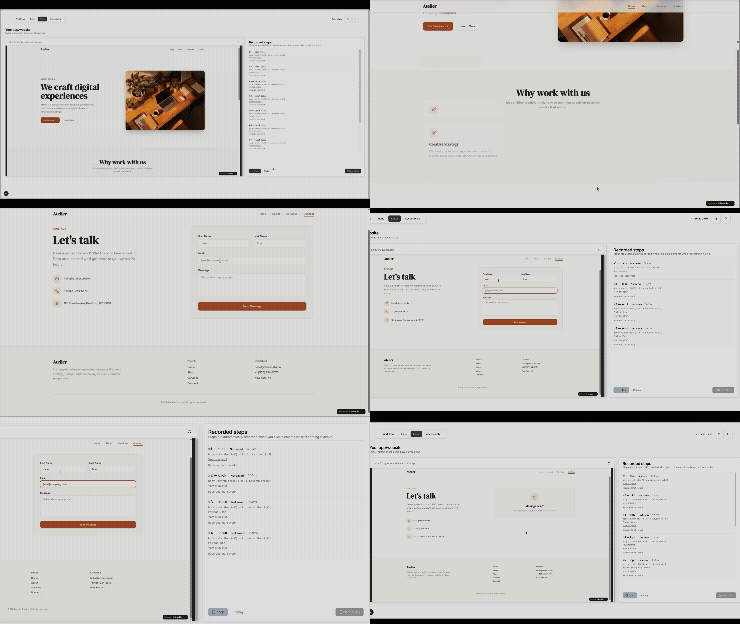
Recording a user flow inside Vizguard

Monitor

Run flows on every deploy and on a schedule

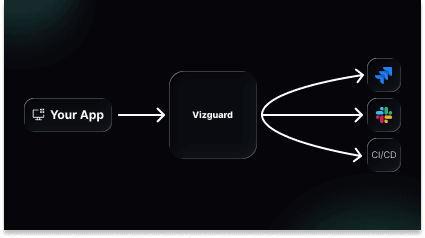
Plug recorded flows into your existing CI/CD pipeline for headless checks on every pull request, or let VizGuard run them on a schedule against staging and production. Each run produces a visual diff, an accessibility report, and a step-by-step trace.

Compare any run to the recorded baseline frame by frame — so you see exactly what changed, not just that something did.

Diagram of scheduled monitoring runs

Alert

Reach the right person the moment something breaks

When a regression, accessibility violation, or broken flow is detected, VizGuard alerts your team through Slack, email, or a webhook into your existing incident tooling. Each alert links to the failing step, the diff, and a one-click reproduction.

Tune what gets paged versus what just files a ticket, so noisy diffs never wake anyone up and real regressions never get missed.

Ready to see it on your own app?

Join the beta and we'll help you record your first flow.